
THERMAL BINOCULARS
Thermal binoculars let you view a thermal image with both eyes. When there is enough infrared contrast, they can show subjects that are warmer or cooler than their surroundings without relying on visible light. What you actually see depends on the device, the distance and the conditions. The range covers different brands and designs, and sensor resolution, magnification, power systems and extra features vary from model to model. Check each product page for the exact specification of the model you’re considering.

Nocpix QUEST H35R Thermal Binoculars
Original price was: £2,299.00.£2,069.00Current price is: £2,069.00.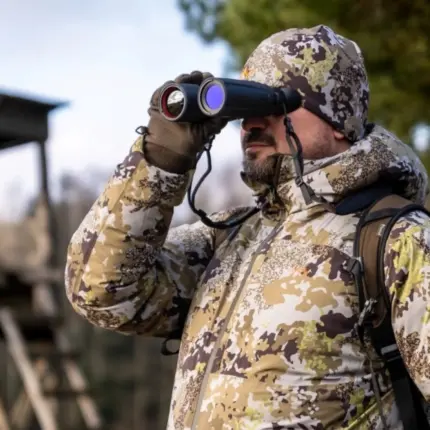
Nocpix QUEST H50R Thermal Binoculars
Original price was: £2,699.00.£2,429.00Current price is: £2,429.00.

Nocpix Quest S50R Thermal Binoculars
Original price was: £3,799.00.£3,419.00Current price is: £3,419.00.
Pulsar MERGER LRF XL50 Thermal Binocular
Original price was: £5,329.95.£3,819.95Current price is: £3,819.95.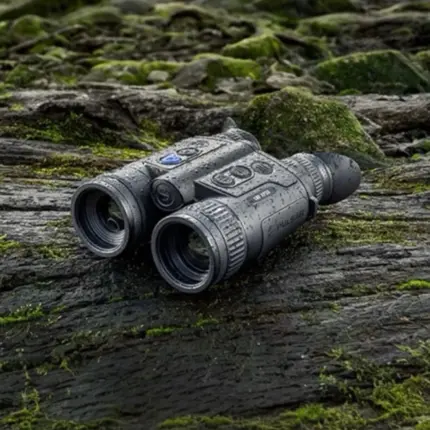
Pulsar Merger LRF XP35 Thermal Binoculars
Original price was: £2,979.95.£2,099.00Current price is: £2,099.00.

How thermal binoculars work
A thermal imager builds a picture from infrared radiation, not visible light. The radiation reaching the sensor includes infrared emitted by objects in the scene and infrared reflected from their surroundings. The balance between the two varies with each surface's emissivity and with what is around it. The atmosphere between you and the subject can also affect the signal. The device turns differences in that signal into a visible image on its display.
The image shows contrast in the infrared signal. It is not a set of measured temperatures. Two objects at the same temperature can look different, and reflected infrared radiation from something warmer nearby can change how a surface appears. Weather, humidity, rain, fog and surfaces warmed by the sun all affect how much contrast there is. The same scene can therefore look clear one evening and flat the next.
Thermal imagers generally can't see through opaque walls. If a manufacturer says a model can detect subjects through foliage or other partial cover, treat that claim as specific to that model and those conditions.
Thermal imaging is not the same as night vision. Night vision devices come in different designs, including image-intensified and digital types. Many rely on available visible or near-infrared light, and some can be used with an infrared illuminator, depending on the device. Thermal imaging works from differences in emitted and reflected infrared. When there is enough contrast, it can sometimes reveal an animal that is hard to see by eye or with a device that depends on available light.
Who uses thermal binoculars
People choose thermal binoculars for many kinds of observation, including:
- watching wildlife and spotting it for photography after dark
- night-time observation from a boat or along the coast
- scanning countryside and managed land
- hunting and stalking
- general outdoor observation
The right model depends on what you want to see, how far away it usually is, how long you'll be holding the device, and whether you need thermal imaging alone or extra viewing channels.
Thermal binoculars or a thermal monocular?
Two-eye viewing
A thermal binocular lets you view with both eyes rather than one. Some people find this more natural for long observation sessions, but comfort is personal. Having two eyepieces doesn't necessarily mean a device has two thermal sensors, so check how each model is built.
Size, weight and handling
Dimensions and weight vary between individual devices in both formats. Compare the stated figures for the exact models you're considering rather than assuming one format is always heavier, lighter or smaller. Think about how you'll carry the device, how long you'll hold it up, and whether you need to stow it quickly.
To compare two-eye viewing with a one-eye format, browse our thermal monoculars.
Thermal-only and multispectral binoculars
Thermal binoculars are not all thermal-only. Thermal-only models show a thermal view. Some multispectral binoculars pair thermal imaging with a separate digital viewing channel. What that channel offers, and whether and when it uses an illuminator, depends on the model. Pulsar, for example, describes its Merger LRF family as thermal-only and its Merger DUO family as multispectral, and it lists Merger DUO among its thermal imaging binoculars as well. Other brands organise their ranges differently, so check what each product actually includes.
Features that vary by model
- Laser rangefinder: some models have one and some don't.
- Additional viewing channels: these appear on some multispectral models and differ between designs.
- Recording, connectivity and display options: these are model-specific. Check the product page and the manufacturer's documentation.
If you want thermal combined with another channel, see our multispectral binoculars. If you mainly need conventional viewing without thermal imaging, browse the main binoculars category.
How to compare image and viewing specifications
Sensor resolution
Resolution is the number of thermal pixels the sensor captures. It is one of several factors that affect how much detail you see, especially on small or distant subjects. A higher number on paper won't suit every use. Think about the size of the subjects you usually watch and how far away they tend to be.
Field of view and magnification
Field of view is how much of the scene you take in at once. Magnification is how large a subject appears on the display. These are separate specifications, and their balance differs between models.
A wider view can help when scanning an area. Higher magnification can make a subject you've already found look larger, but it can also narrow the view. Digital zoom enlarges the displayed image without necessarily adding sensor detail, so more magnification won't always mean you can see or identify more. Whether it helps depends on the model, the distance and the conditions.
Close and mid-range viewing
If you often watch subjects at shorter distances, such as in woodland, check how the model performs across the range of distances you'll actually use.
Comfort and fit
If you wear glasses, check the manufacturer's eyepiece and adjustment details for the exact model. Fit varies between designs.
Detection is not identification
Manufacturers often quote detection ranges. Detecting a heat source at a given distance does not mean you can recognise or identify what it is at that distance. Quoted figures depend on the subject, the conditions and how they were measured. Use them as a guide for comparing models rather than a guarantee.
Power, batteries and what's in the box
Battery systems
Battery arrangements differ between brands and between variants in the same family. As one example, Pulsar's FAQ describes a built-in battery plus a removable battery for its Merger LRF thermal binoculars. Other models use different systems. Check the battery type, how it charges, and the manufacturer's stated runtime for the exact model. Read the manufacturer's operating guidance for the conditions you expect to use it in.
Included accessories
Supplied items such as cases, straps, cables and spare batteries depend on the specific product package. Check the product listing for the exact model rather than assuming another model's contents carry over.
Warranty and support
Think about how often you'll use the device and what support you might need over time, especially if you only use thermal occasionally. Check the warranty and support details for the specific product before you buy.
Frequently asked questions
What are thermal binoculars?
Thermal binoculars are observation devices that show a thermal image through two eyepieces. They build the picture from differences in emitted and reflected infrared rather than visible light. The image shows contrast, not measured temperatures. Designs vary: two eyepieces doesn't always mean two sensors, and features differ by model.
How do thermal binoculars compare with a thermal monocular?
The main difference is two-eye viewing versus one-eye viewing. Size, weight and handling depend on the specific device, not the format alone, so compare stated dimensions and weights. Also consider how long you'll observe for and how you'll carry the device. Some people prefer two-eye viewing for longer sessions, while others prefer one-eye viewing.
What is the difference between thermal and multispectral binoculars?
Not every thermal binocular is thermal-only. Thermal-only models show a thermal view. Some multispectral models add a separate digital channel alongside thermal, so the same product can sit in both categories. Which channels are included, and whether a model has extras such as a laser rangefinder, varies by product. Check each listing for the exact feature set.
How should I compare image and viewing specifications?
Look at sensor resolution, field of view and magnification as separate figures, along with the manufacturer's other viewing details. More magnification can enlarge a subject but can narrow the view, and digital zoom doesn't necessarily add detail. A quoted detection range is not the same as being able to identify a subject at that distance, and real results depend on conditions and the subject.
What should I check about batteries and included accessories?
Check the battery type, how it charges, whether it is built-in, removable or both, and the manufacturer's stated runtime. These vary between models and even between variants in the same family. Supplied accessories also vary, so confirm what comes with the exact package you're buying.
Do thermal binoculars work in daylight and poor weather?
Thermal imaging doesn't rely on visible light, so it isn't limited to night-time use. Check the manufacturer's guidance for the specific model. Image contrast changes with conditions: sun-warmed surroundings, rain, fog and humidity can all reduce how clearly a subject stands out. For use in wet conditions, check the model's stated weather protection.